In this article we are going to cover How to Create SSH Key in GitLab, How to Add SSH key to GitLab | How to Setup SSH Key in GitLab, Clone Gitlab Repo using SSH key and Push Local code to GitLab repository.
Table of Contents
What is SSH keys ?
SSH stands for secure shell or secure socket shell. It is used for managing the networks, operating systems and configurations and also authenticates to the GitLab server without using username and password each time. You can set the SSH keys to provide a reliable connection between the computer and GitLab.
Step #1:How to Create SSh key
To create ssh key/generate ssh key, Firstly open command prompt or Git Bash and run below command
ssh-keygen
After that you will get message about the file location in which file you have to save key. By default your user folder in that another folder called .ssh . Keep as it and press enter. Then directory created in default folder.
Now you will be ask to set a password. Or you will keep as it and enter.
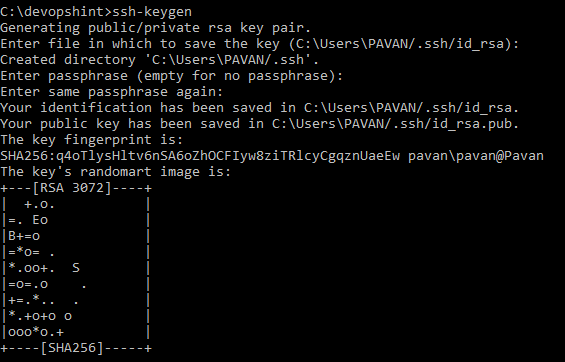
Now your public and private ssh key has been generated in your default folder.

Step #2:Login your GitLab account
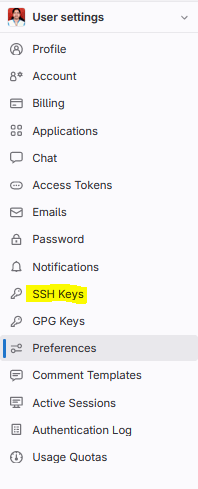
Login GitLab account and go to profile icon –> edit –> SSH keys.
Step #3:How to Setup SSH Key in GitLab
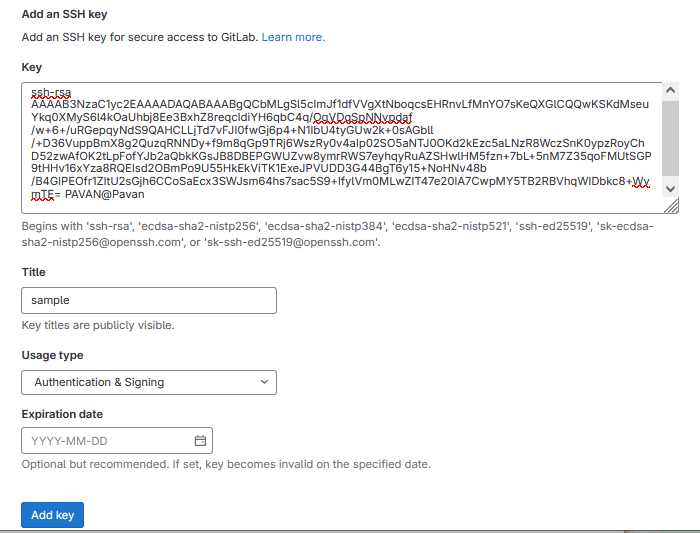
Go to directory where key is saved and open the Microsoft publisher document in notepad after that copy the id_rsa.pub key.

And paste in key field after that enter the title, select usage type, expiration date and click on add key.
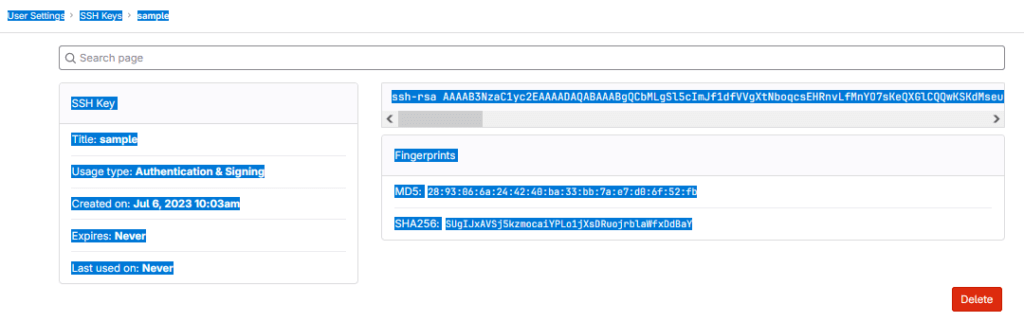
SSH key created successfully.
How to clone project from GitLab ?
If you have Clone project from GitLab/clone with ssh gitlab simply you will copy the link of project means its clone with HTTPS link.
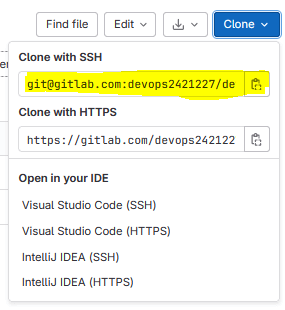
Go to folder where you have clone project and open Git Bash after that using below command you clone the project.
git clone [email protected]:devops2421227/devopshint.git
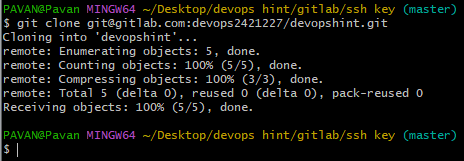
Output:

How to Push file/code to GitLab using ssh key?
Go to file/code which is you have to push on GitLab and right click on this page open git bash.
Add the files to Git index
git add .
Commit Added Files
git commit -m "another new file added"
To check the git branch
git branch
Push to GitLab
git push origin master

After that you have refresh the GitLab page and you will get file which is git push.

Conclusion:
We have covered How to Create SSH Key in GitLab, How to Add SSH key to GitLab | How to Setup SSH Key in GitLab, Clone Gitlab Repo using SSH key and Push Local code to GitLab repository.
Related Articles:
How to Create a New Project in GitLab [2 Steps]
Reference:
